
TL;DR — Best AI tools 2025, in one place. This no-fluff guide shows what to use, when, and why—with crisp Buy/Don’t buy notes, typical prices, and starter CTAs so you can try tools today without analysis paralysis.
Quick Verdict — Choose by Job
All-round chat & reasoning: ChatGPT / o1
Long writing & reliable coding: Claude 3.5 Sonnet
Ultra-long context, Google tie-ins: Gemini 1.5
Inside Word/Excel/PowerPoint: Microsoft 365 Copilot
Answers with citations: Perplexity
Workspace docs/wiki: Notion AI
Blog/thumbnail images: DALL·E / Midjourney
Text-to-video drafts: Runway
Voiceover & dubbing: ElevenLabs
Private, instant help: On-device AI These picks reflect the best AI tools 2025 for the most common jobs.
How We Picked
Accuracy & reasoning • Speed & convenience • Ecosystem fit (Docs/Office) • Price value • Privacy (on-device vs cloud) • Multimodal depth (voice/vision/video) • Learning curve & reliability.
The Top 10
ChatGPT / o1 — advanced multi-step reasoning

What it is. An all-round multimodal assistant. o-series models (e.g., o1) think step-by-step for harder tasks; GPT-4o brings real-time voice and vision.
Best for. One tab that drafts, reasons, chats by voice, explains screenshots, and handles light file analysis.
Buy if… You want strong multi-step reasoning for planning/research, quick content iteration, or natural voice chats—plus steady feature rollouts.
Don’t buy if… You need guaranteed fully-cited web results in-answer, or deep collaboration inside Google/Microsoft editors without enterprise plans.
Pricing. Plus typically $20/mo; higher tiers for teams/enterprise exist.
Power tip. Use o1 to structure tricky problems, switch to GPT-4o for content/voice, and create custom GPTs for repeat workflows (briefs, ad copy, prompts).
Claude 3.5 Sonnet — long summaries, reliable coding
What it is. Anthropic’s model known for careful reasoning, polished long-form writing, and stable tool use/coding.
Best for. Contracts/policies, sensitive communications, and code refactors where tone and accuracy matter more than flash.
Buy if… You value clarity, low hallucination rates, and consistent output on multi-step tasks; you frequently edit or summarize long documents.
Don’t buy if… You need built-in image generation or heavy browsing inside the same tab; or your team is locked into Google/Microsoft editor add-ins.
Pricing. Pro around $20/mo; Team often ~$30/user/mo depending on region/billing.
Power tip. Feed a style guide + samples to nail tone; ask for structured outputs (tables, lists) and request diff/patch when refactoring code.
Gemini 1.5 — ultra-long context for research

What it is. Google’s multimodal model with very large context windows (consumer tiers in the millions of tokens), tied into Gmail/Drive/Docs.
Best for. Ingesting big research packs (long PDFs, multi-doc folders), producing anchored summaries, and working where your files already live.
Buy if… You routinely analyze large files, want Drive/Docs tie-ins, and need Deep Research-style multi-step findings; occasional text-to-video access is a bonus.
Don’t buy if… You rarely use Google’s ecosystem, want a desktop chat app, or require strict in-answer citations by default.
Pricing. Google AI Pro usually $19.99/mo in the US (regional variance); higher “Ultra” tiers exist.
Power tip. Put sources in a single Drive folder, reference it explicitly, and request source-linked summaries with quotes/snippets.
Microsoft 365 Copilot — office productivity
What it is. AI embedded into Word, Excel, PowerPoint, Outlook and more.
Best for. Drafting emails and documents, making slides from outlines, building formulas and data summaries inside Office.
Buy if… You already pay for Microsoft 365 and want tenant-aware AI that respects org context, security, and compliance.
Don’t buy if… You don’t use Office daily or you only need a general chat tool; free Copilot may suffice casually.
Pricing. Copilot Pro ~$20/mo (individuals); Microsoft 365 Copilot ~$30/user/mo (business).
Power tip. Keep prompts document-aware: reference specific sections/sheets and ask for tracked changes, speaker notes, or Excel steps with formulas.
Perplexity — research with cited sources

What it is. An AI search engine that answers with inline citations and Pro features (model choices, Pages, file uploads).
Best for. Fast answer + sources when trust matters: fact-finding, stats, product comparisons, and quick literature scans.
Buy if… You need verifiable outputs and shareable summaries; you like collecting links in Pages/Collections.
Don’t buy if… You mostly do long creative writing or coding in one place; consider a chat-first app for that.
Pricing. Pro typically $20/mo; enterprise tiers exist.
Power tip. Use Pro Search for complex queries; switch to Academic/Focus when needed; request tables + key quotes and save reusable Collections.
Notion AI — writing inside your workspace
What it is. AI built into Notion’s docs, wikis, projects, and databases.
Best for. Teams that already live in Notion and want drafting, meeting notes, and workspace Q&A in place.
Buy if… You prefer staying in Notion to brainstorm, outline, summarize meetings, and turn notes into tasks/pages.
Don’t buy if… Your team won’t move from Google/Microsoft editors or requires advanced DTP/layout beyond Notion’s scope.
Pricing. Business plan per-user pricing varies; AI is included for many Business/Enterprise tiers.
Power tip. Pair AI with databases: generate summaries into fields, auto-tag docs, and use templates for repeatable briefs/SOPs.
DALL·E (in ChatGPT) / Midjourney — image generation
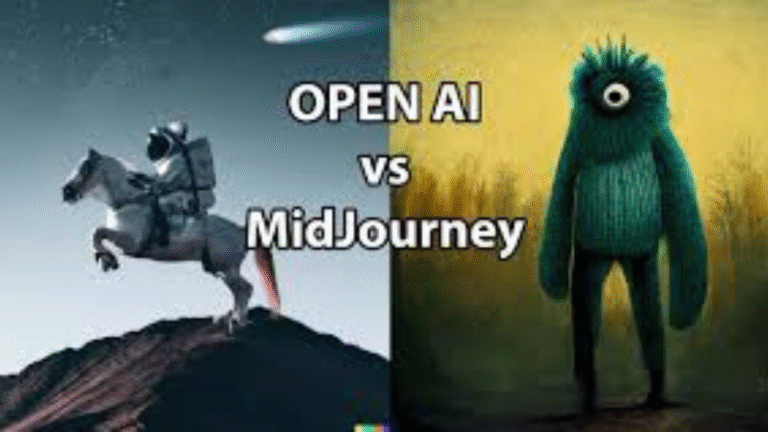
What it is. DALL·E 3 runs inside ChatGPT for chat-based image generation; Midjourney (Discord/web) focuses on high-quality stylized renders.
Best for. Thumbnails, blog art, concept boards, and brand explorations without heavy design software.
Buy if… You want built-in images (DALL·E) or premium style quality and controls (Midjourney).
Don’t buy if… You need fully local/offline workflows or strict enterprise pipelines; consider Adobe Firefly + Creative Cloud.
Pricing. DALL·E via ChatGPT Plus; Midjourney tiers $10–$120/mo.
Power tip. Create a prompt library (brand style, color, composition) and iterate with variations; upscale only the keepers to save time.
Runway — text-to-video drafts
What it is. Web-based text-to-video and edit suite (Gen-3/Gen-4 models) with camera controls, motion brushes, and more.
Best for. Promos, explainers, storyboard pre-viz, and social clips without a full VFX stack.
Buy if… You want prompt → clip speed and easy iteration; no heavy local GPU required.
Don’t buy if… You need minute-long, cinema-grade continuity on a small budget; expect constraints.
Pricing. From ~$12/user/mo (annual), higher tiers for heavy use; free tier exists.
Power tip. Start with image refs + short prompts, then layer camera/motion instructions; export drafts for quick A/B testing on socials.
ElevenLabs — natural-sounding voice

What it is. A leading suite for text-to-speech, voice cloning, and dubbing across many languages.
Best for. YouTube narration, podcasts, localization, and product voice features needing consistent tone.
Buy if… You want high-quality TTS with instant/pro cloning and a clean studio UI; API later if you scale.
Don’t buy if… You require local/offline only or strict on-prem pipelines.
Pricing. Starter $5, Creator $11–$22, Pro $99+ (minutes/credits vary).
Power tip. Record clean samples (30–60s, noise-free) for better cloning; keep a pronunciation lexicon for names/brands; batch-render scripts.
On-device AI — private, fast, secure
What it is. AI that runs locally: Apple Intelligence (iPhone/Mac), Gemini Nano (Android), Copilot+ PCs (Windows NPU).
Best for. Instant summaries, rewrites, visual understanding, and voice actions with lower latency and more privacy.
Buy if… Your hardware supports on-device features and you value quick, private assistance for everyday tasks.
Don’t buy if… Your device won’t receive these features or you need heavy research/citations—cloud tools still win there.
Pricing. Typically bundled with OS/hardware; some cloud add-ons may cost extra.
Power tip. Use on-device for triage (summaries, drafts), then escalate to cloud for deep research or large-file analysis.
Comparison Snapshot
| Tool | Best for | Modality | Typical Price | Standout |
|---|---|---|---|---|
| ChatGPT / o1 | All-round chat & reasoning | Text/Voice/Vision | ~$20/mo | o-series reasoning |
| Claude 3.5 Sonnet | Long writing & code | Text/Tools | ~$20/mo | Sober, reliable |
| Gemini 1.5 | Huge context, Google apps | Multi | ~$19.99/mo | Massive context |
| Microsoft 365 Copilot | Inside Office | In-app | $20–$30 | Word/Excel/PowerPoint |
| Perplexity | Answers + citations | Search | ~$20/mo | Pro Search & sources |
| Notion AI | Docs/wiki workspace | In-app | varies | In-place automation |
| DALL·E/Midjourney | Images | Image | $20 / $10–$120 | Ease vs. Style |
| Runway | Text-to-video | Video | from ~$12 | Prompt→clip speed |
| ElevenLabs | Voiceover/dubbing | Audio | $5–$99+ | VO quality |
| On-device AI | Private quick help | Local | – | Latency & privacy |
Beginner Starter Stacks
Writers/Bloggers: ChatGPT (+ DALL·E), Perplexity for cited research.
YouTubers/Creators: ChatGPT (+ DALL·E/Midjourney), Runway for clips, ElevenLabs for VO.
Google-first knowledge workers: Gemini + Perplexity.
Office-first professionals: Microsoft 365 Copilot (+ Perplexity for sources).
Privacy-first users: On-device AI + minimal cloud.
FAQs
Q1. What’s the single best AI tool to start with in 2025?
Start with ChatGPT (Plus) for breadth; add Perplexity whenever you need sources and citations.
Q2. I live in Google Docs—should I pick Gemini instead?
If your files/workflow live in Google Workspace, Gemini integrates best. Keep Perplexity for verified lookups.
Q3. Microsoft shop here—does Copilot replace ChatGPT?
Not exactly. Copilot is unbeatable inside Office apps. For general chat/reasoning, many still keep ChatGPT alongside.
Q4. Do I need an AI image tool as a blogger?
If you publish frequently, DALL·E in ChatGPT is the fastest way to get on-brand visuals; move to Midjourney when you need style control.
Q5. Are the prices fixed?
No—plans change by region and billing. Always check the official pricing page before purchasing.
Pick one primary tool for your daily work, then layer specialized apps (search with citations, images, video, voice) as you grow. If you’re unsure, start with an all-rounder and add a research tool for verified answers.

Đây là tiêu đề
Thêm một đoạn văn bản ở đây. Nhấp vào ô văn bản để tùy chỉnh nội dung, phong cách phông chữ và màu sắc của đoạn văn của bạn.
Đây là tiêu đề
Thêm một đoạn văn bản ở đây. Nhấp vào ô văn bản để tùy chỉnh nội dung, phong cách phông chữ và màu sắc của đoạn văn của bạn.
Đây là tiêu đề
Thêm một đoạn văn bản ở đây. Nhấp vào ô văn bản để tùy chỉnh nội dung, phong cách phông chữ và màu sắc của đoạn văn của bạn.
Đây là tiêu đề
Thêm một đoạn văn bản ở đây. Nhấp vào ô văn bản để tùy chỉnh nội dung, phong cách phông chữ và màu sắc của đoạn văn của bạn.