
Heads-up: Some links are affiliate links. We may earn a commission if you purchase—price stays the same for you. Thanks for supporting our work!
Personal Take

Find a single email fast → pick Gemini (native in Gmail). Ask naturally (“when’s my package arriving?”) and get the right thread/filters right inside Gmail—no extra setup, no context-switching.
Deep, multi-source reports → pick ChatGPT Deep Research. Great for long, cited briefings—not ideal for a one-off email lookup because it typically takes ~5–30 minutes to run. OpenAI
Morning briefing (proactive) → pick ChatGPT Pulse (Pro preview). Pulse compiles personalized update cards from your calendar, email, and connected apps so you start the day ready.
What to use, when
“Fuzzy” email retrieval
Gemini in Gmail feels seamless: query in plain language and filter by sender/date/read status/flight info/parcel updates—without leaving Gmail.
ChatGPT + Connectors works, but it’s a connector-style flow, better when you want a single synthesized answer across multiple sources than for a one-off email.
My pick: Everyday work → Gemini in Gmail. Long chains + supporting docs → Deep Research.
A proactive “wake-up” briefing every morning
ChatGPT Pulse (Pro) pushes daily cards based on prior chats and connected apps (calendar/email), turning ChatGPT from reactive to proactive.
Gemini covers Google services brilliantly for on-demand tasks, but Pulse’s daily briefing is the standout here (for now).
My pick: Want a true “morning assistant”? → ChatGPT Pro (Pulse).
Price & value
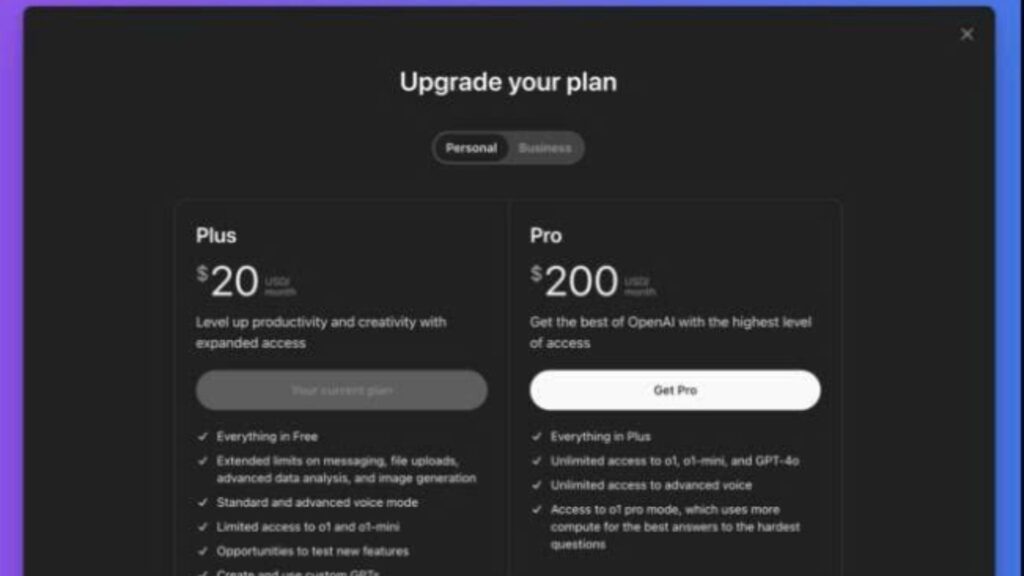
ChatGPT Pro: $200/month for power users who want o1/o1-mini, Advanced Voice, Deep Research, and early features like Pulse.
Google AI Plus: now expanding to 40+ countries; widely reported at ~$5/month (varies by market) with access to Gemini 2.5 Pro, creative tools, etc. Check your local Google One account for the exact price.
My pick: Tight budget and Google-first workflow → Gemini AI Plus. Need world-class research + proactive briefings → ChatGPT Pro.
Quick picks
| Situation | My tool | Why |
|---|---|---|
| One fast email lookup (natural language) | Gemini in Gmail | Native, zero friction, inside Gmail. |
| Multi-source, cited report | ChatGPT (Deep Research) | Synthesizes the web/files; ~5–30 min. |
| “Daily briefing” every morning | ChatGPT Pro (Pulse) | Personalized update cards. |
| Lowest monthly cost, Google ecosystem | Gemini AI Plus | ~$5/mo in many markets; expanding to 40+ countries. |
| Maximum capability/features | ChatGPT Pro | o1 family, Advanced Voice, Deep Research, Pulse. |
Actions I recommend
Wire Gemini into your Gmail routine for “quick wins” (find, summarize, reply).
Use ChatGPT when you need depth: run Deep Research for complex briefs; enable Pulse on Pro if you want a push-style morning summary.
Want the freshest updates?
New – Latest AI News
for today’s quick highlights.
FAQ
Q1. What exactly can Gemini do inside Gmail?
Summarize long threads with summary cards, answer natural-language queries, and help you act without leaving Gmail.
Q2. How long does ChatGPT Deep Research take?
OpenAI says ~5–30 minutes depending on scope; you get a report in the chat when it’s done.
Q3. What is ChatGPT Pulse—and who gets it?
A proactive, card-based morning briefing currently for Pro users; it pulls from your chats and connected apps like calendar/email.